# Cut/Delete/Move/Rotate Elements

### Cut/Delete/Move/Rotate Elements

![](https://239424168-files.gitbook.io/~/files/v0/b/gitbook-x-prod.appspot.com/o/spaces%2FqtUsszuAWXIZhQhrvjnb%2Fuploads%2FwrY9M6WOJ7GvKJDSUqAk%2F0.jpeg?alt=media)

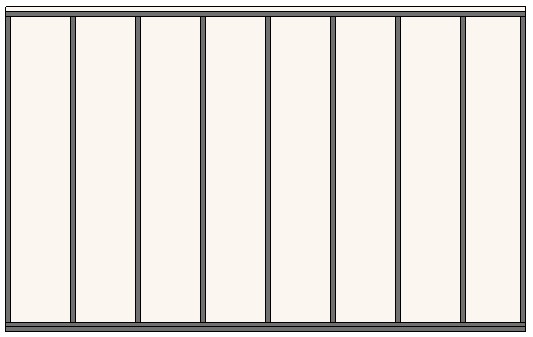
**Cut/Delete/Move/Rotate Elements** – features for deleting, moving, flipping studs, cutting beams, etc.

### Delete Studs

![](https://239424168-files.gitbook.io/~/files/v0/b/gitbook-x-prod.appspot.com/o/spaces%2FqtUsszuAWXIZhQhrvjnb%2Fuploads%2FqfWTFiwZYyaQ5e31gMvp%2F1.jpeg?alt=media)

**Delete Studs –** deletes selected studs from the frame.

*<mark style="color:blue;">Example: Select stud(s) to delete and click</mark> <mark style="color:blue;"></mark><mark style="color:blue;">**Delete Studs**</mark><mark style="color:blue;">. If needed to join bridging/nogging, click</mark> <mark style="color:blue;"></mark><mark style="color:blue;">**Update Frame**</mark><mark style="color:blue;">:</mark>*

![](https://239424168-files.gitbook.io/~/files/v0/b/gitbook-x-prod.appspot.com/o/spaces%2FqtUsszuAWXIZhQhrvjnb%2Fuploads%2FGeSPHB2H5AtNZi9eGVoy%2F2.jpeg?alt=media)

### Restore Deleted Studs

![](https://239424168-files.gitbook.io/~/files/v0/b/gitbook-x-prod.appspot.com/o/spaces%2FqtUsszuAWXIZhQhrvjnb%2Fuploads%2F98s193TYrI3HyG8TFS4J%2F3.jpeg?alt=media)

**Restore Deleted Studs** – restores deleted studs in selected frame.

*<mark style="color:blue;">Example: Click</mark> <mark style="color:blue;"></mark><mark style="color:blue;">**Restore Deleted Studs**</mark> <mark style="color:blue;"></mark><mark style="color:blue;">and select a wall, opening, or any element from the frame to restore stud(s):</mark>*

![](https://239424168-files.gitbook.io/~/files/v0/b/gitbook-x-prod.appspot.com/o/spaces%2FqtUsszuAWXIZhQhrvjnb%2Fuploads%2F5weOLSKx9hmfbWwdcR5Y%2F4.jpeg?alt=media)

### Delete Plates or Bridging/Nogging

![](https://239424168-files.gitbook.io/~/files/v0/b/gitbook-x-prod.appspot.com/o/spaces%2FqtUsszuAWXIZhQhrvjnb%2Fuploads%2FQNr2WKhaNavkLOrtOlj5%2F5.jpeg?alt=media)

**Delete Plates or Bridging/Nogging** – deletes selected plates or bridging/nogging which were inserted before. You can't delete it manually, because using updating functions the element will be restored.

*<mark style="color:blue;">Example, select the plate:</mark>*

![](https://239424168-files.gitbook.io/~/files/v0/b/gitbook-x-prod.appspot.com/o/spaces%2FqtUsszuAWXIZhQhrvjnb%2Fuploads%2FbWoTc9HFanFSniXmAzbV%2F6.jpeg?alt=media)

*<mark style="color:blue;">The plate is deleted and will not be restored during updating process:</mark>*

<figure><img src="https://239424168-files.gitbook.io/~/files/v0/b/gitbook-x-prod.appspot.com/o/spaces%2FqtUsszuAWXIZhQhrvjnb%2Fuploads%2F4OYpRrB0CEyC6LgHexhQ%2F7.jpeg?alt=media" alt=""><figcaption></figcaption></figure>

### Restore Deleted Plates or Bridging/Nogging

![](https://239424168-files.gitbook.io/~/files/v0/b/gitbook-x-prod.appspot.com/o/spaces%2FqtUsszuAWXIZhQhrvjnb%2Fuploads%2FGrsYWjtcmMplHnbZZJ05%2F8.jpeg?alt=media)

**Restore Deleted Plates or Bridging/Nogging** – restores deleted plates or bridgingin selected frame.

*<mark style="color:blue;">Example, select the frame:</mark>*

![](https://239424168-files.gitbook.io/~/files/v0/b/gitbook-x-prod.appspot.com/o/spaces%2FqtUsszuAWXIZhQhrvjnb%2Fuploads%2FGxMjzk2z1vgrXDq2YlsZ%2F9.jpeg?alt=media)

*<mark style="color:blue;">The plate is restored:</mark>*

<figure><img src="https://239424168-files.gitbook.io/~/files/v0/b/gitbook-x-prod.appspot.com/o/spaces%2FqtUsszuAWXIZhQhrvjnb%2Fuploads%2FKGCD20HBYuenKsnEdbkp%2F0DQZROIIiyYeJfo_3cPEVobut0YPtMEhWw.png?alt=media&#x26;token=8c941340-18f3-4bd4-85de-d1ebb523b678" alt=""><figcaption></figcaption></figure>

### Move Studs

![](https://239424168-files.gitbook.io/~/files/v0/b/gitbook-x-prod.appspot.com/o/spaces%2FqtUsszuAWXIZhQhrvjnb%2Fuploads%2FD6GTfEABHDSvZaNVGK46%2F11.jpeg?alt=media)

**Move Studs** – moves selected stud(s) to the left or right by predefined distance.

*<mark style="color:blue;">Example: Select stud(s) →</mark> <mark style="color:blue;"></mark><mark style="color:blue;">**Move Studs**</mark> <mark style="color:blue;"></mark><mark style="color:blue;">→ Define a distance → OK:</mark>*

![](https://239424168-files.gitbook.io/~/files/v0/b/gitbook-x-prod.appspot.com/o/spaces%2FqtUsszuAWXIZhQhrvjnb%2Fuploads%2FNbfVIxp9s7HfTtBAhZSs%2F12.jpeg?alt=media)

### Restore Moved Studs

![](https://239424168-files.gitbook.io/~/files/v0/b/gitbook-x-prod.appspot.com/o/spaces%2FqtUsszuAWXIZhQhrvjnb%2Fuploads%2Fm2ZVp1F2QBGbrfUBB5aD%2F13.jpeg?alt=media)

**Restore Moved Studs** – restores moved studs in selected frame to original position.

*<mark style="color:blue;">Example: Click</mark> <mark style="color:blue;"></mark><mark style="color:blue;">**Restore Moved Studs**</mark> <mark style="color:blue;"></mark><mark style="color:blue;">and select a wall, opening, or any element from the frame to restore stud(s) to original position:</mark>*

![](https://239424168-files.gitbook.io/~/files/v0/b/gitbook-x-prod.appspot.com/o/spaces%2FqtUsszuAWXIZhQhrvjnb%2Fuploads%2FO4uW4Uvvn4HK55HEQKVL%2F14.jpeg?alt=media)

### Add Copied Elements

![](https://239424168-files.gitbook.io/~/files/v0/b/gitbook-x-prod.appspot.com/o/spaces%2FqtUsszuAWXIZhQhrvjnb%2Fuploads%2FpIF66OaU5wQDBe1mlvnv%2F15.jpeg?alt=media)

**Add Copied Elements** – adds copied elements to the existing frame system for later scheduling and inclusion in shop drawings.

Sometimes it is easier to copy some elements in the frame, but later it needs to be scheduled and included into shop drawings using Wall+. In such cases, use **Add Copied Elements**.

*<mark style="color:blue;">Example: Two bridgings were manually copied with Revit</mark> <mark style="color:blue;"></mark><mark style="color:blue;">**Copy**</mark> <mark style="color:blue;"></mark><mark style="color:blue;">function. To include in existing frame system, select these bridgings →</mark> <mark style="color:blue;"></mark><mark style="color:blue;">**Add Copied Elements**</mark><mark style="color:blue;">:</mark>*

![](https://239424168-files.gitbook.io/~/files/v0/b/gitbook-x-prod.appspot.com/o/spaces%2FqtUsszuAWXIZhQhrvjnb%2Fuploads%2FcncD1uQukG9gOxwi1Jth%2F16.jpeg?alt=media)

### Delete Copied Elements

![](https://239424168-files.gitbook.io/~/files/v0/b/gitbook-x-prod.appspot.com/o/spaces%2FqtUsszuAWXIZhQhrvjnb%2Fuploads%2FIIBI2HaKU9cK6QAQD0ni%2F17.jpeg?alt=media)

**Delete Copied Elements –** deletes elements that were copied manually and added to the existing frame system with **Add Copied Element**.

*<mark style="color:blue;">Example: Click</mark> <mark style="color:blue;"></mark><mark style="color:blue;">**Delete Copied Elements**</mark> <mark style="color:blue;"></mark><mark style="color:blue;">and select a wall, opening, or any element from the frame to delete the copied elements:</mark>*

![](https://239424168-files.gitbook.io/~/files/v0/b/gitbook-x-prod.appspot.com/o/spaces%2FqtUsszuAWXIZhQhrvjnb%2Fuploads%2FWmcu4BieXF7dSgb6hyxo%2F18.jpeg?alt=media)

### Cut Beams with Solid/Void

![](https://239424168-files.gitbook.io/~/files/v0/b/gitbook-x-prod.appspot.com/o/spaces%2FqtUsszuAWXIZhQhrvjnb%2Fuploads%2Fxg7uBKnaeiac1wBM89lN%2F19.jpeg?alt=media)

**Cut Beams with Solid/Void –** cuts beams that intersect with another beam (solid/void).

*<mark style="color:blue;">Example: Click</mark> <mark style="color:blue;"></mark><mark style="color:blue;">**Cut Beams with Solid**</mark> <mark style="color:blue;"></mark><mark style="color:blue;">→ Select intersecting beam. Bottom plate from the frame was cut by intersecting beam:</mark>*

![](https://239424168-files.gitbook.io/~/files/v0/b/gitbook-x-prod.appspot.com/o/spaces%2FqtUsszuAWXIZhQhrvjnb%2Fuploads%2F8Ch3MQ87FvnPWGxzlndT%2F20.jpeg?alt=media)

### Uncut Beams

![](https://239424168-files.gitbook.io/~/files/v0/b/gitbook-x-prod.appspot.com/o/spaces%2FqtUsszuAWXIZhQhrvjnb%2Fuploads%2Fk7RJTZ0a2ulinC19BAJy%2Fimage.png?alt=media\&token=fd53bf37-a9a8-4aba-950d-02c382d99571)

**Uncut Beams** – uncuts beams that intersect with another beam (solid/void).

<figure><img src="https://239424168-files.gitbook.io/~/files/v0/b/gitbook-x-prod.appspot.com/o/spaces%2FqtUsszuAWXIZhQhrvjnb%2Fuploads%2FFIMq2lxTTHKXoBLlNv5u%2Fimage.png?alt=media&#x26;token=4cb806c7-3666-47bf-8b8b-1b432877b8ca" alt=""><figcaption></figcaption></figure>

### Cut Beam Ends

![](https://239424168-files.gitbook.io/~/files/v0/b/gitbook-x-prod.appspot.com/o/spaces%2FqtUsszuAWXIZhQhrvjnb%2Fuploads%2Fq50hkXsNV3riOVqucyxd%2Fimage.png?alt=media\&token=6b0ac5ce-11d8-43d2-a021-62cd5c7e975e)

**Cut Beam Ends –** cuts selected beam ends that connect with another beam.

*<mark style="color:blue;">Example: Click</mark> <mark style="color:blue;"></mark><mark style="color:blue;">**Cut Beam Ends**</mark> <mark style="color:blue;"></mark><mark style="color:blue;">→ Select a beam that needs to be cut:</mark>*

<figure><img src="https://239424168-files.gitbook.io/~/files/v0/b/gitbook-x-prod.appspot.com/o/spaces%2FqtUsszuAWXIZhQhrvjnb%2Fuploads%2Fkq5ZiS92cWAlXU7nAAbz%2Fimage.png?alt=media&#x26;token=2965244a-7d60-405e-bc96-33485045e187" alt=""><figcaption></figcaption></figure>

### Cut with Beam Ends

![](https://239424168-files.gitbook.io/~/files/v0/b/gitbook-x-prod.appspot.com/o/spaces%2FqtUsszuAWXIZhQhrvjnb%2Fuploads%2FunWpQkKLhDXINcCbd7zS%2Fimage.png?alt=media\&token=da9aea85-1219-4e86-a5f6-fd9d76368cba)

**Cut with Beam Ends –** cuts connected beam with selected beam ends.

*<mark style="color:blue;">Example: Click</mark> <mark style="color:blue;"></mark><mark style="color:blue;">**Cut with Beam Ends**</mark> <mark style="color:blue;"></mark><mark style="color:blue;">→ Select a beam that will cut connected beam:</mark>*

<figure><img src="https://239424168-files.gitbook.io/~/files/v0/b/gitbook-x-prod.appspot.com/o/spaces%2FqtUsszuAWXIZhQhrvjnb%2Fuploads%2FQwfutuPLsVSxheAcewC2%2Fimage.png?alt=media&#x26;token=e4ccac0a-dbc3-43ae-8471-eb25c3eb7626" alt=""><figcaption></figcaption></figure>

### Uncut Beam Ends

![](https://239424168-files.gitbook.io/~/files/v0/b/gitbook-x-prod.appspot.com/o/spaces%2FqtUsszuAWXIZhQhrvjnb%2Fuploads%2FsmOrXqAg9j1Y0qoaIDDP%2Fimage.png?alt=media\&token=f3e2fc00-769b-4418-bd7d-8b72f03ca60e)

**Uncut Beam Ends –** uncuts beam ends that connect with another beam.