> For the complete documentation index, see [llms.txt](https://docs.besmart.software/llms.txt). Markdown versions of documentation pages are available by appending `.md` to page URLs; this page is available as [Markdown](https://docs.besmart.software/3d-modeling-and-design/metal-framing/faq/notches-lip-cuts-and-swages/why-are-swages-not-visible-in-revit-model.md).
# Why are swages not visible in Revit model?
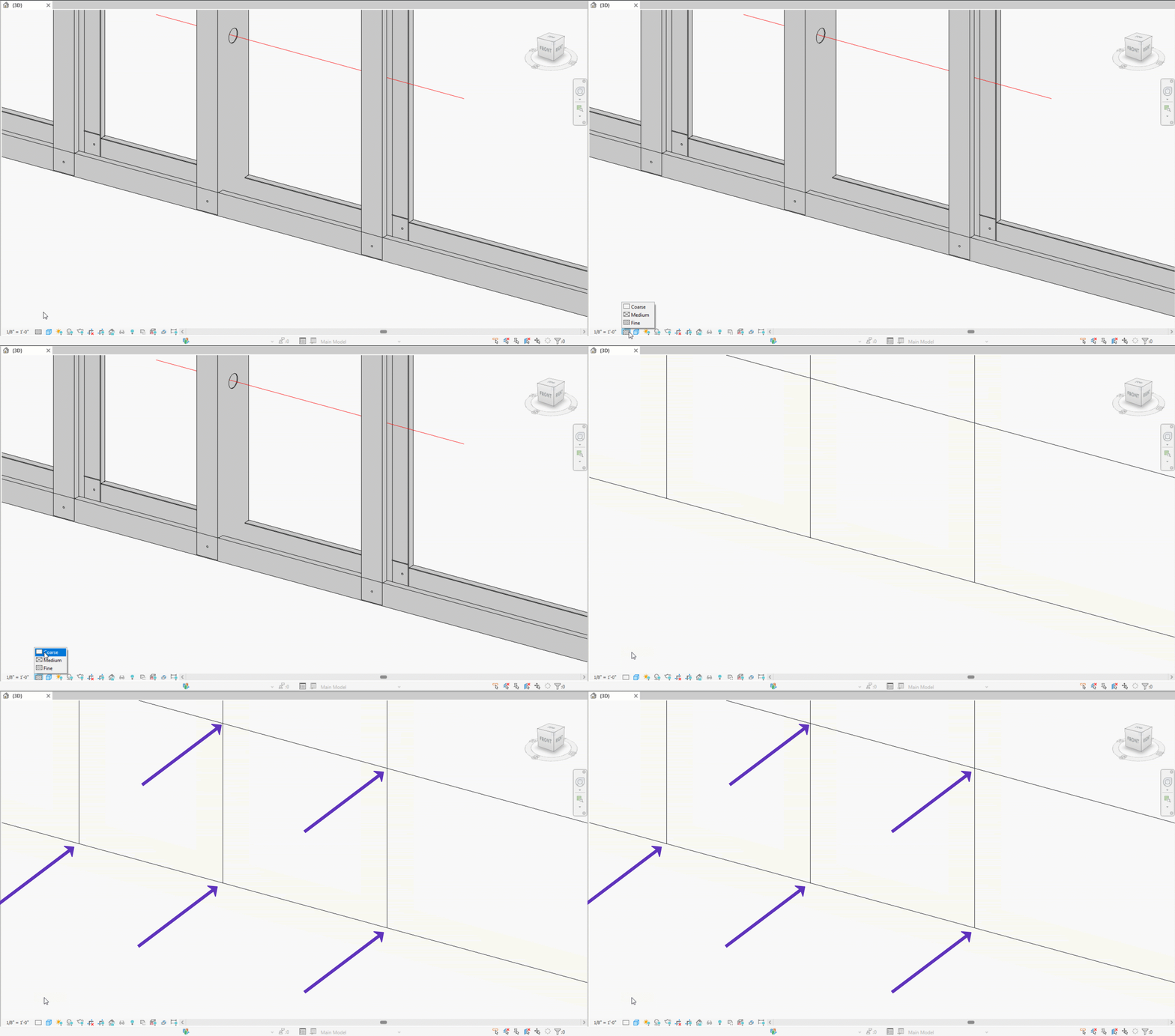
Swages are not visible in the framing elements because it would **slow down** Revit.
Nevertheless, the Swage punch command **will be visible** in the CSV and other format CNC export files:
{% hint style="info" %}
By default, the[ CNC Metal Exporter](/design-data-management-and-exchange/cnc-exporters/cnc-metal-exporter.md) is looking at the Structural Framing family **projection line intersection points between** vertical studs and horizontal plates/service holes.
In these intersections, the exporter can generate the following commands:
* Notch (on plate)
* Lip cut (on plate)
* Swage (on stud)
* End truss (chamfer, on both)
* Dimple (on both)
* Service holes (framed horizontally)
It doesn't read the geometry of element cuts unless it's instructed to do so.
{% endhint %}
{% hint style="info" %}
[Learn how to rename the intersection point commands (Dimple, Swage, Notch, Lip Cut, End truss).](https://docs.besmart.software/design-data-management-and-exchange/cnc-exporters/cnc-metal-exporter/revit-add-in/set-new-or-modify-cnc-type#modify-cnc-commands)
[Learn how to manage horizontal service holes (cutting through studs)](/3d-modeling-and-design/metal-framing/faq/service-hole-automation/how-to-insert-service-holes-in-vertical-studs.md).
{% endhint %}
***
{% hint style="info" %}
**Note**: CNC Metal Exporter is not included in the Metal Collection.
[Learn more](/design-data-management-and-exchange/cnc-exporters/cnc-metal-exporter.md) about the features of CNC Metal Exporter.
{% endhint %}
{% hint style="info" %}
If you can't find the answers you're looking for, please [contact our support team](https://helpdesk.besmart.software/support/tickets/new).
{% endhint %}
---
# Agent Instructions
This documentation is published with GitBook. GitBook is the documentation platform designed so that both humans and AI agents can read, navigate, and reason over technical content effectively. Learn more at gitbook.com.
## Querying This Documentation
If you need additional information that is not directly available in this page, you can query the documentation dynamically by asking a question.
Perform an HTTP GET request on the current page URL with the `ask` query parameter, and the optional `goal` query parameter:
```
GET https://docs.besmart.software/3d-modeling-and-design/metal-framing/faq/notches-lip-cuts-and-swages/why-are-swages-not-visible-in-revit-model.md?ask=&goal=
```
`ask` is the immediate question: it should be specific, self-contained, and written in natural language.
`goal` is optional and describes the broader end goal you are ultimately trying to accomplish on behalf of the user. GitBook uses it to tailor the answer towards what is most useful for that goal.
The response will contain a direct answer to the question and relevant excerpts and sources from the documentation.
Use this mechanism when the answer is not explicitly present in the current page, you need clarification or additional context, or you want to retrieve related documentation sections.