> For the complete documentation index, see [llms.txt](https://docs.besmart.software/llms.txt). Markdown versions of documentation pages are available by appending `.md` to page URLs; this page is available as [Markdown](https://docs.besmart.software/3d-modeling-and-design/metal-framing/faq/family-libraries/which-families-should-i-use-for-arkitech-howick-or-pinnacle-frames.md).

# Which families should I use for Arkitech, Howick or Pinnacle frames?

After you load Metal Framing default families (**Settings** > **Load Families** > **Main Families**), you should use the C+C\_CH families in the Framing Configurations:

<figure><img src="/files/3oes2VgF3MIsYZv4Uufc" alt=""><figcaption><p>Metric (left) and Imperial (right) C+C_CH families</p></figcaption></figure>

## **Framing Configuration**

The default Framing Configurations for Arkitech/Howick/Pinnacle frames include these profile sizes:

* Metric: **M\_C+C\_CH Chamfered Profiles X5** and **M\_C+C\_CH Chamfered Profiles 3200 configurations:** 89mm studs and plates
* Imperial: **I\_C+C\_CH Chamfered Profiles**: 3 1/2" studs and plates

<table data-view="cards"><thead><tr><th></th><th data-hidden data-card-target data-type="content-ref"></th></tr></thead><tbody><tr><td>How to create new framing family types?</td><td><a href="/pages/DbJsjcr3BcJOy9fOdJaL">/pages/DbJsjcr3BcJOy9fOdJaL</a></td></tr><tr><td>How to automatically create framing profile sizes by wall thickness?</td><td><a href="/pages/eRt8Bian3xXwsFdpu9y2">/pages/eRt8Bian3xXwsFdpu9y2</a></td></tr><tr><td>How to change family types in Framing Configurations?</td><td><a href="/pages/yUtfuJbkclHbHtkHe6A0">/pages/yUtfuJbkclHbHtkHe6A0</a></td></tr><tr><td>How to apply the same Stud or Plate family in Framing Configurations?</td><td><a href="/pages/NJ655ZfdaQsMjlOExNbj">/pages/NJ655ZfdaQsMjlOExNbj</a></td></tr></tbody></table>

{% hint style="info" %}
Your wall types should be linked with one of the above default Framing Configurations. [Learn more](/3d-modeling-and-design/metal-framing/getting-started/framing-arkitech-howick-or-pinnacle/wall+m.md)
{% endhint %}

{% hint style="success" %}
You can always modify or duplicate default Framing Configurations. [Learn more](https://www.youtube.com/watch?v=ui8Lgs_kn3s)
{% endhint %}

## **MF C+C\_CH Stud**

**MF** **C+C\_CH Stud** is used for **all** **vertical elements:**

<figure><img src="https://docs.besmart.software/~gitbook/image?url=https%3A%2F%2F239424168-files.gitbook.io%2F%7E%2Ffiles%2Fv0%2Fb%2Fgitbook-x-prod.appspot.com%2Fo%2Fspaces%252FqtUsszuAWXIZhQhrvjnb%252Fuploads%252FZdERWj2rVj1KxkAzIzST%252Fimage.png%3Falt%3Dmedia%26token%3D188035c1-33da-4b3f-aa54-452463c70119&#x26;width=768&#x26;dpr=4&#x26;quality=100&#x26;sign=41343a65&#x26;sv=2" alt=""><figcaption></figcaption></figure>

{% hint style="danger" %}
**Note**: C+C and C+C\_CH stud families are designed for different framing systems. [Learn more](https://docs.besmart.software/3d-modeling-and-design/metal-framing/faq/family-libraries/what-is-the-difference-between-c+u-c+c_ch-and-c+c-families)
{% endhint %}

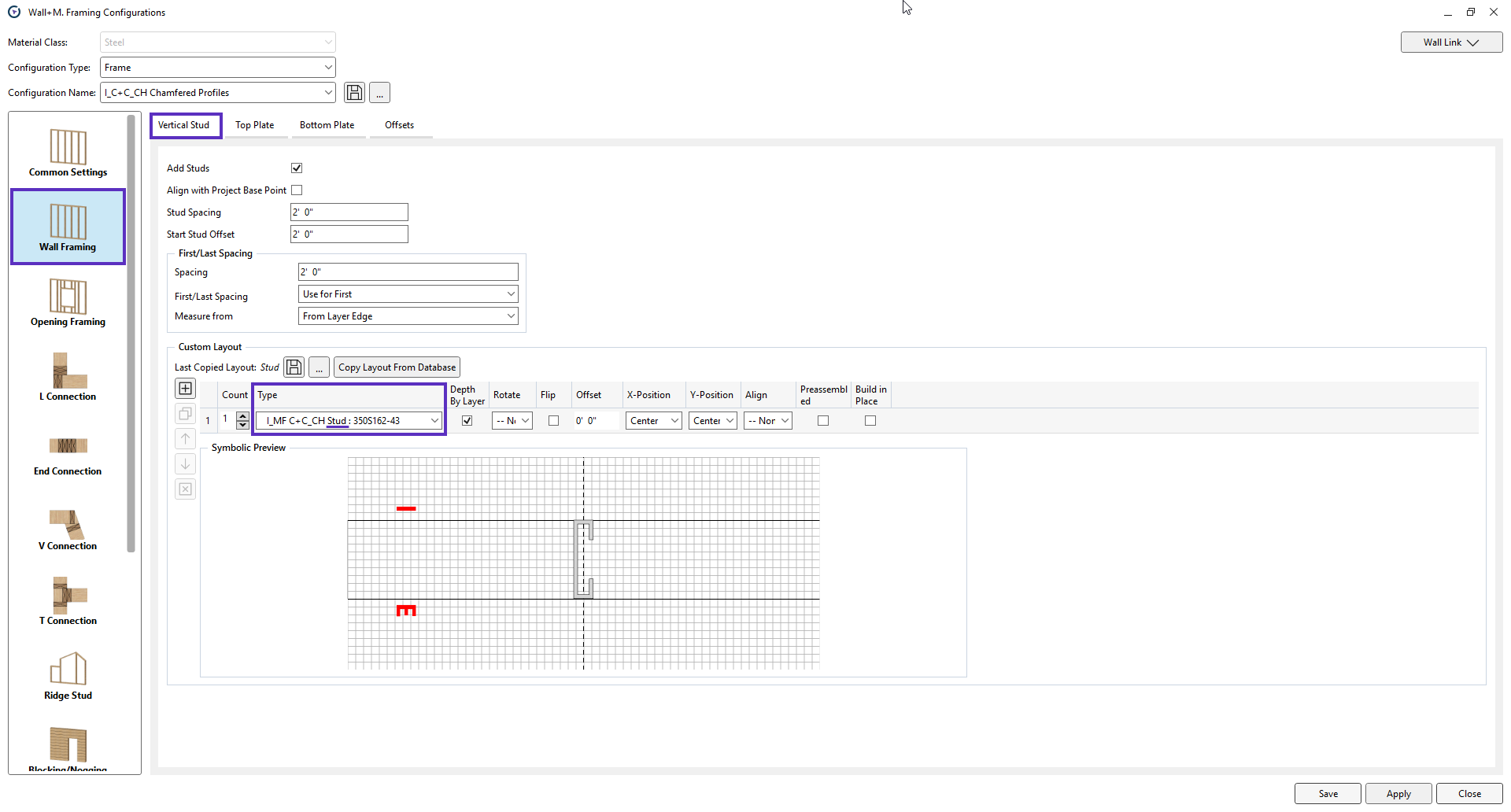
### Common Studs

<figure><img src="/files/xjeJh4r7DgG6Cm4h4rSX" alt=""><figcaption></figcaption></figure>

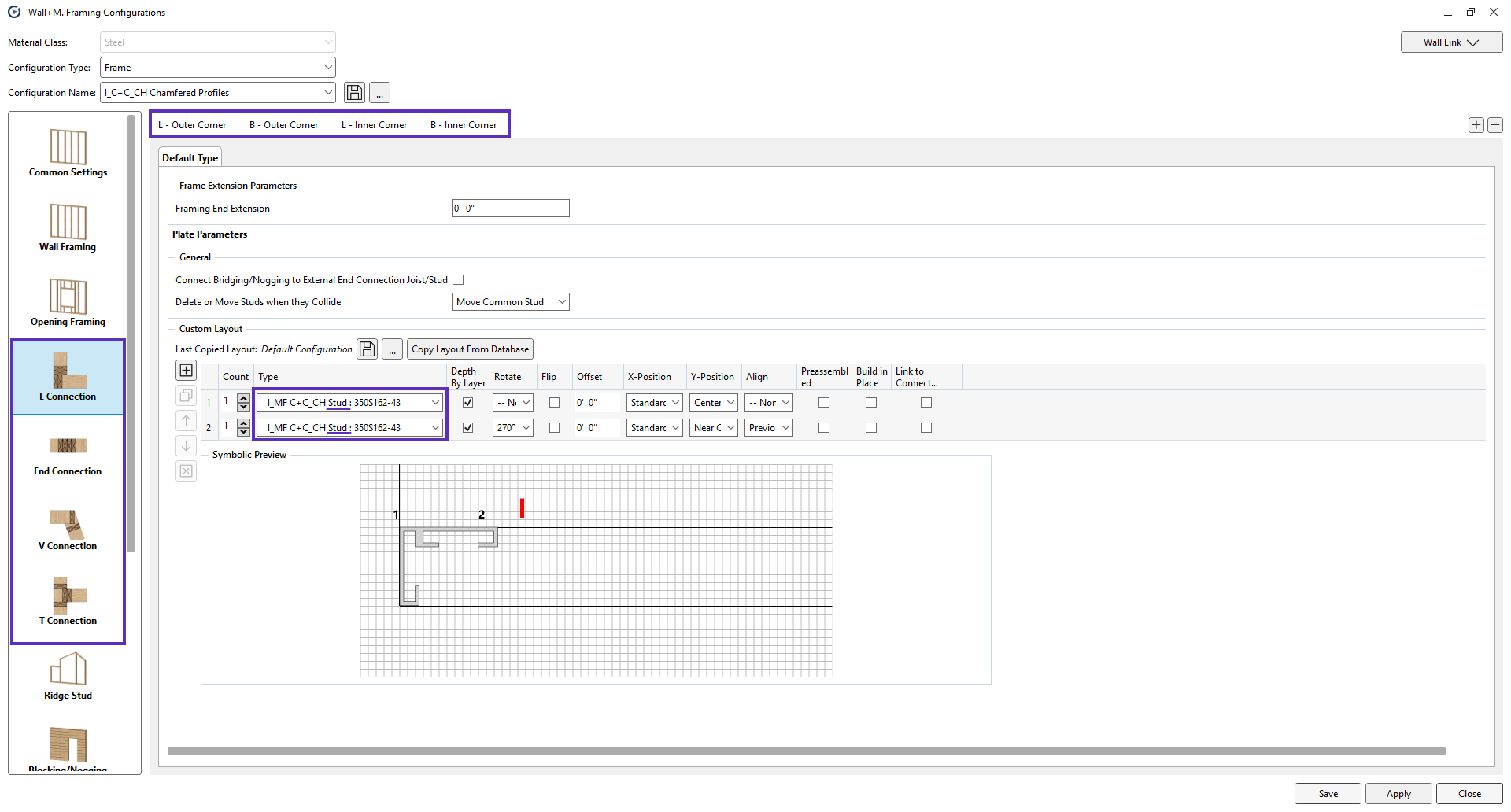
### L, End, V and T Connections

<figure><img src="/files/d3Nx06F3mTqAP2Xn3PCV" alt=""><figcaption></figcaption></figure>

### Ridge Studs

<figure><img src="/files/myyk5jaHFvbUxVB2G4AP" alt=""><figcaption></figcaption></figure>

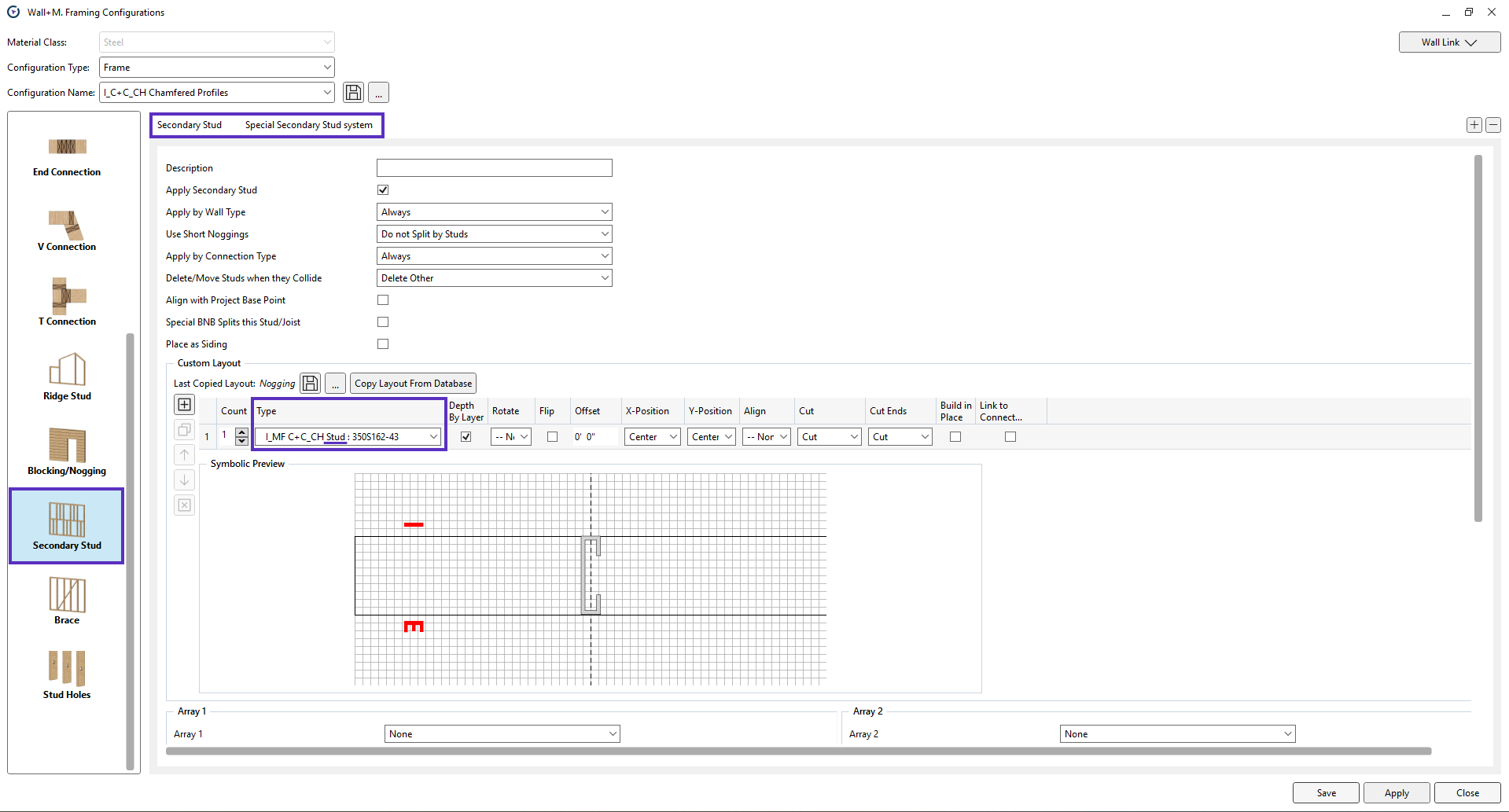
### Secondary Studs

<figure><img src="/files/x1hs9WtT1TK59iGJzgcj" alt=""><figcaption></figcaption></figure>

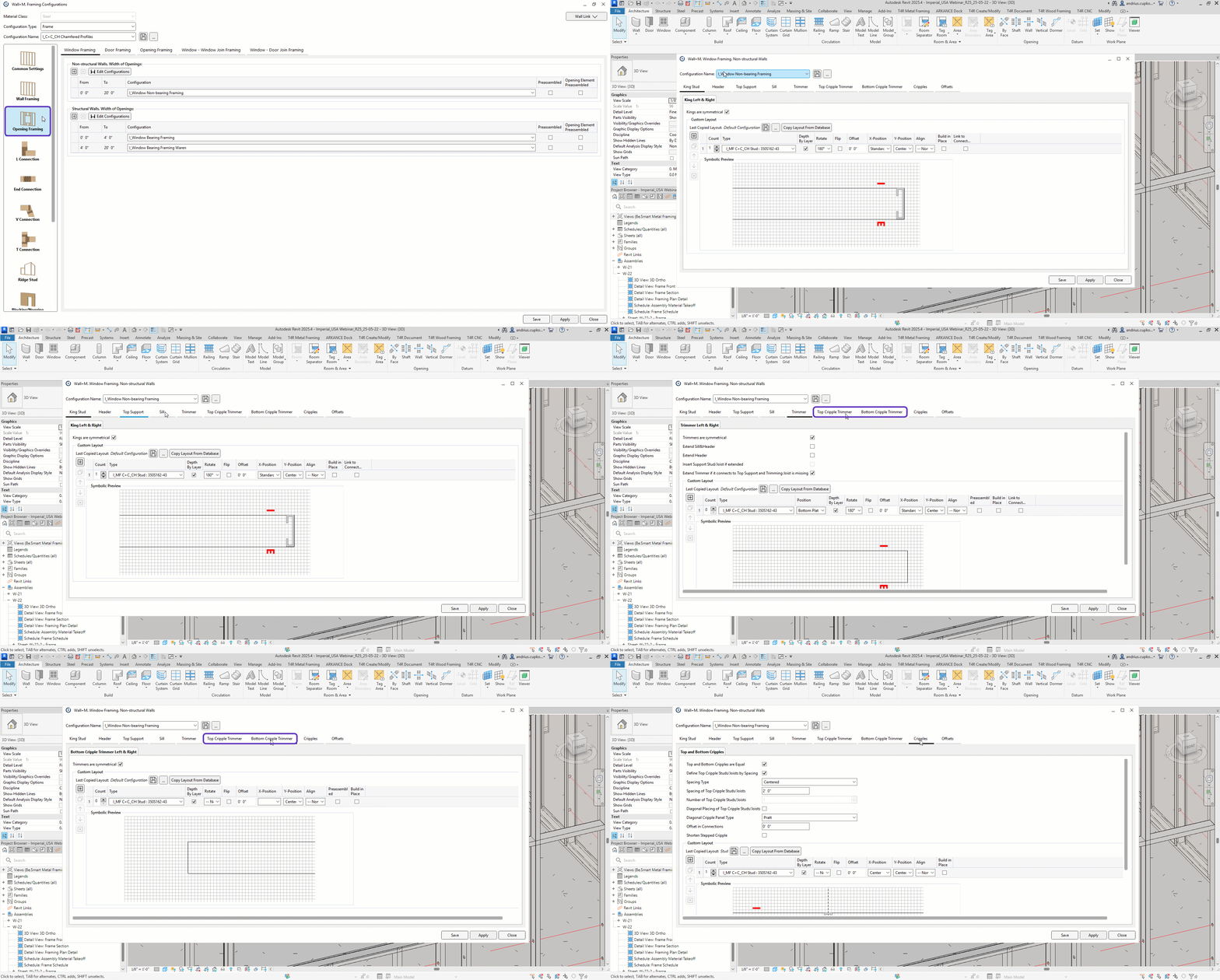
### King studs, Trimmers and Cripple Studs

<figure><img src="/files/GCZ5ZFuwllkHUKiMEUiy" alt=""><figcaption></figcaption></figure>

## MF C+C\_CH Plate <a href="#mf-cc_ch-plate" id="mf-cc_ch-plate"></a>

**MF C+C\_CH Plate** is used for all horizontal elements (except service holes and strap bracing):

<figure><img src="https://docs.besmart.software/~gitbook/image?url=https%3A%2F%2F239424168-files.gitbook.io%2F%7E%2Ffiles%2Fv0%2Fb%2Fgitbook-x-prod.appspot.com%2Fo%2Fspaces%252FqtUsszuAWXIZhQhrvjnb%252Fuploads%252FGpKS8BGkTayDezE3XuOn%252Fimage.png%3Falt%3Dmedia%26token%3Dfb6e8a39-dc2c-4772-b79a-b24ee51ce4c2&#x26;width=768&#x26;dpr=4&#x26;quality=100&#x26;sign=84472b1c&#x26;sv=2" alt=""><figcaption></figcaption></figure>

{% hint style="danger" %}
**Note**: C+C and C+C\_CH plate families are designed for different framing systems. [Learn more](https://docs.besmart.software/3d-modeling-and-design/metal-framing/faq/family-libraries/what-is-the-difference-between-c+u-c+c_ch-and-c+c-families)
{% endhint %}

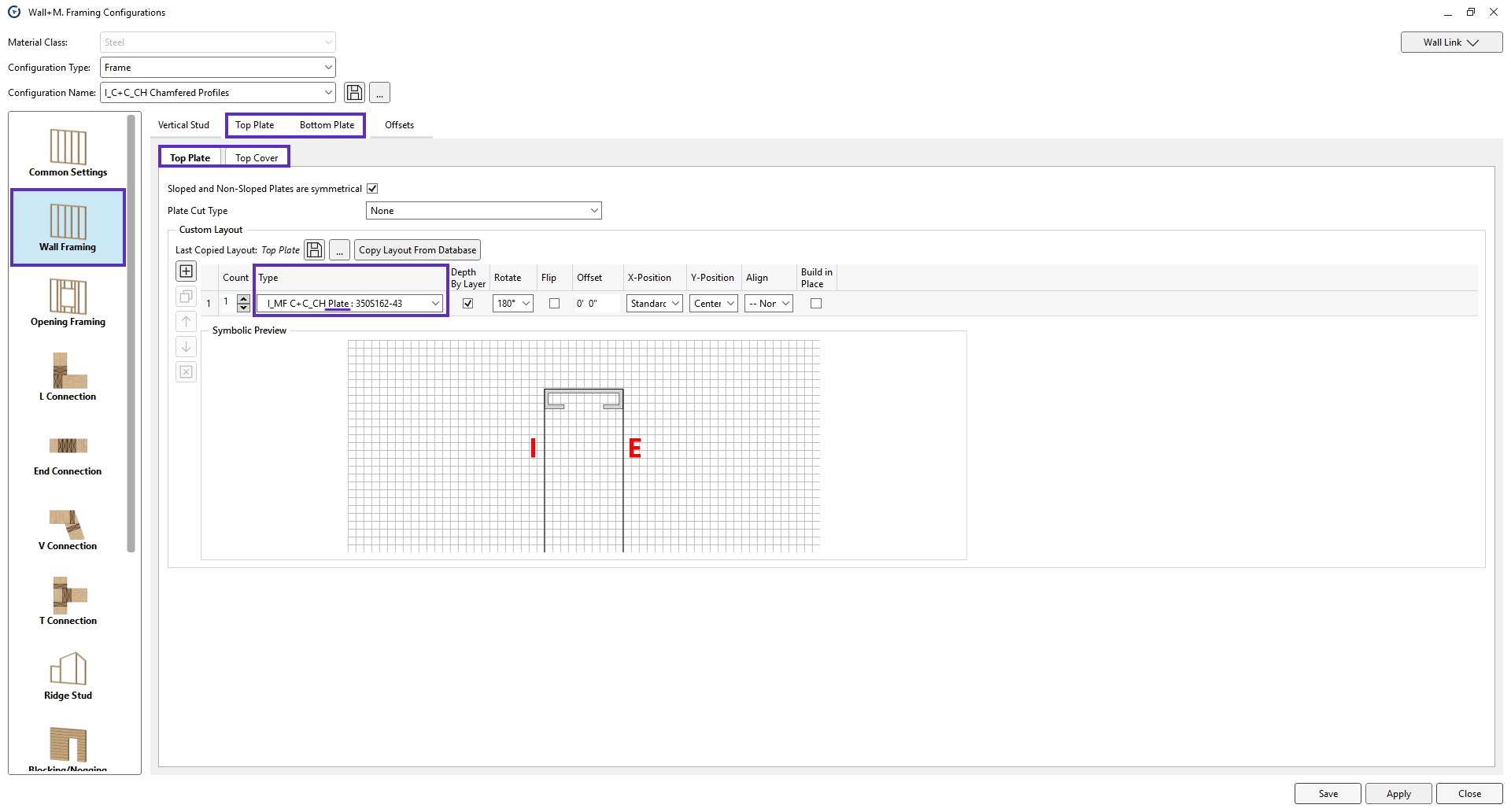
### Top and Bottom Plates (Tracks)

<figure><img src="/files/p2TezMqUR55LjqVyo1Xp" alt=""><figcaption></figcaption></figure>

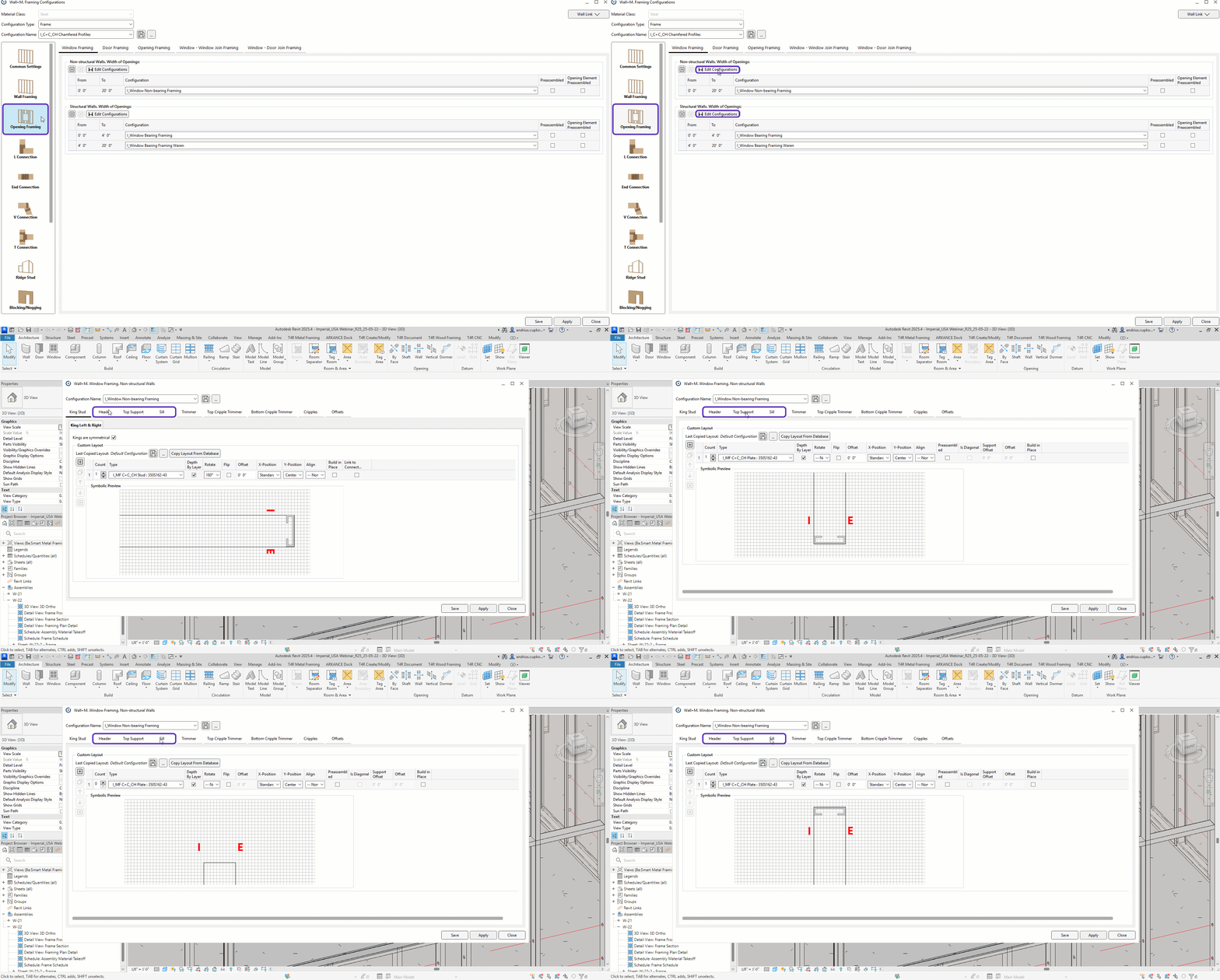
### Headers, Top Supports and Sills

<figure><img src="/files/BbFDUVGCM1EBGTbLBfF2" alt=""><figcaption></figcaption></figure>

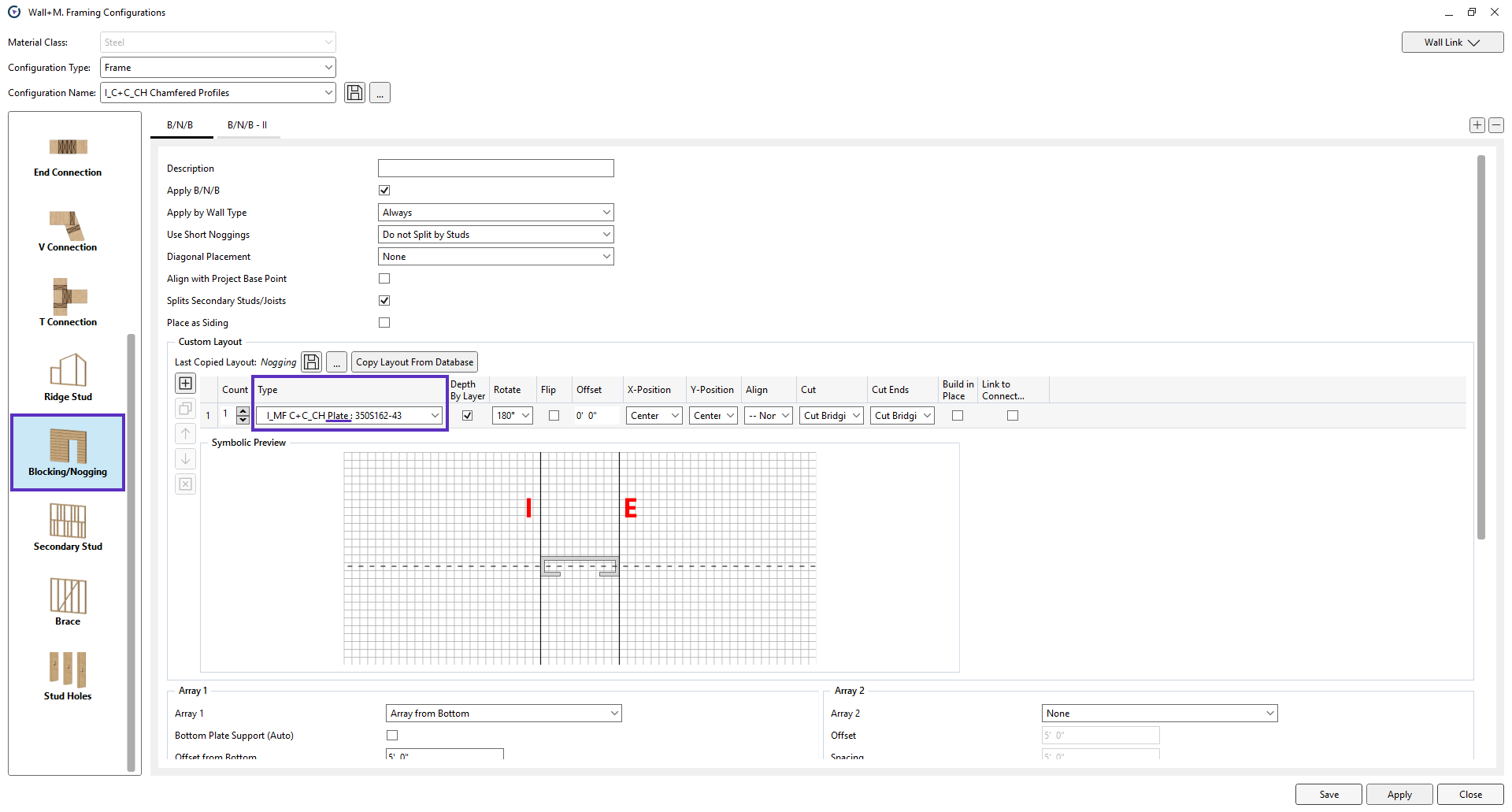
### Blocking/Nogging

<figure><img src="/files/GmOQQwpafzkvI2EgjTP0" alt=""><figcaption></figcaption></figure>

***

{% embed url="<https://www.youtube.com/watch?v=jyutWz2FmK4>" %}

***

{% hint style="info" %}
If you can't find the answers you're looking for, please [contact our support team](https://emea.support.arkance.world/hc/en-gb/requests/new).
{% endhint %}


---

# Agent Instructions
This documentation is published with GitBook. GitBook is the documentation platform designed so that both humans and AI agents can read, navigate, and reason over technical content effectively. Learn more at gitbook.com.

## Querying This Documentation
If you need additional information that is not directly available in this page, you can query the documentation dynamically by asking a question.

Perform an HTTP GET request on the current page URL with the `ask` query parameter, and the optional `goal` query parameter:

```
GET https://docs.besmart.software/3d-modeling-and-design/metal-framing/faq/family-libraries/which-families-should-i-use-for-arkitech-howick-or-pinnacle-frames.md?ask=<question>&goal=<endgoal>
```

`ask` is the immediate question: it should be specific, self-contained, and written in natural language.
`goal` is optional and describes the broader end goal you are ultimately trying to accomplish on behalf of the user. GitBook uses it to tailor the answer towards what is most useful for that goal.

The response will contain a direct answer to the question and relevant excerpts and sources from the documentation.

Use this mechanism when the answer is not explicitly present in the current page, you need clarification or additional context, or you want to retrieve related documentation sections.